OrthoPhoto
Orthodontic photos on an iPhone.
- Platforms
- iOS
- Year
- 2026
- Status
- Live
- Built with
- React Native · Expo · pdf-lib · RevenueCat
- Website
- orthophoto.isingdigital.ch
- Download
- App Store
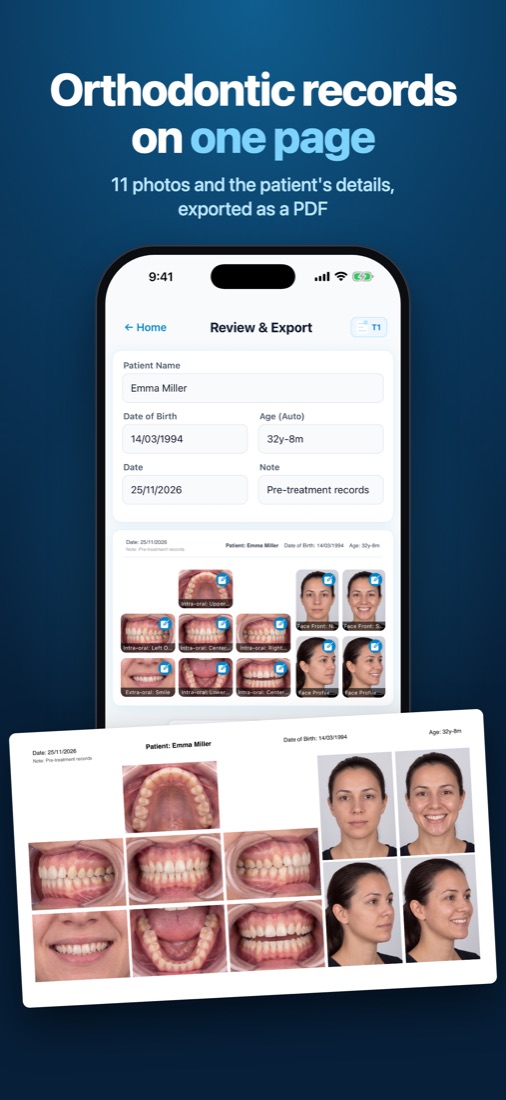
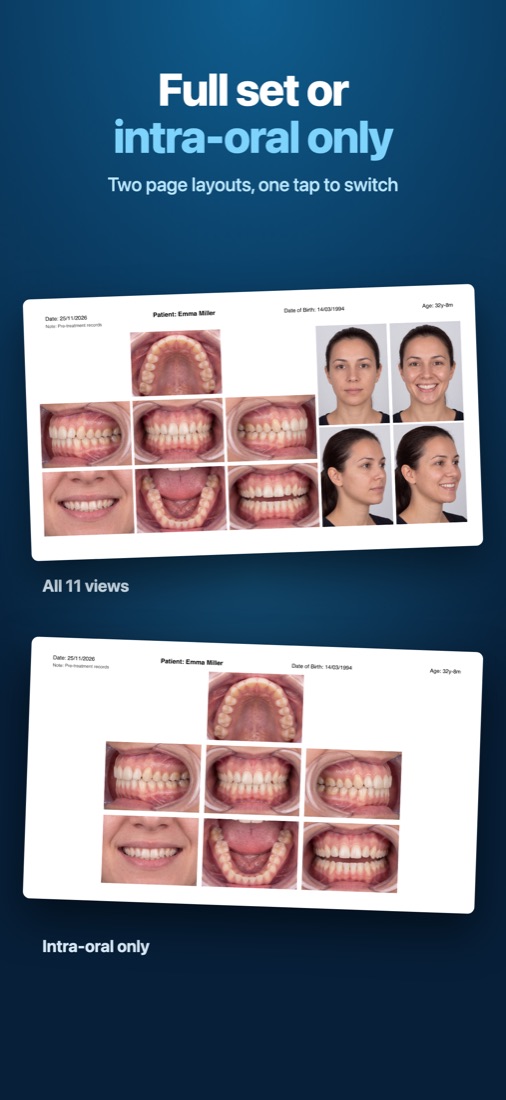
OrthoPhoto is an iPhone and iPad app for dentists and orthodontists. It takes them through the eleven standard photos of an orthodontic record, one view at a time, and puts them on a single page with the patient's name, date of birth and age, ready to export as a PDF or a JPEG.
The usual way to do this is a DSLR, a computer and a slide template. These are our notes on doing the whole job on the phone: guiding the capture, getting the page exactly right, and keeping patient data off any server.
Guiding the capture
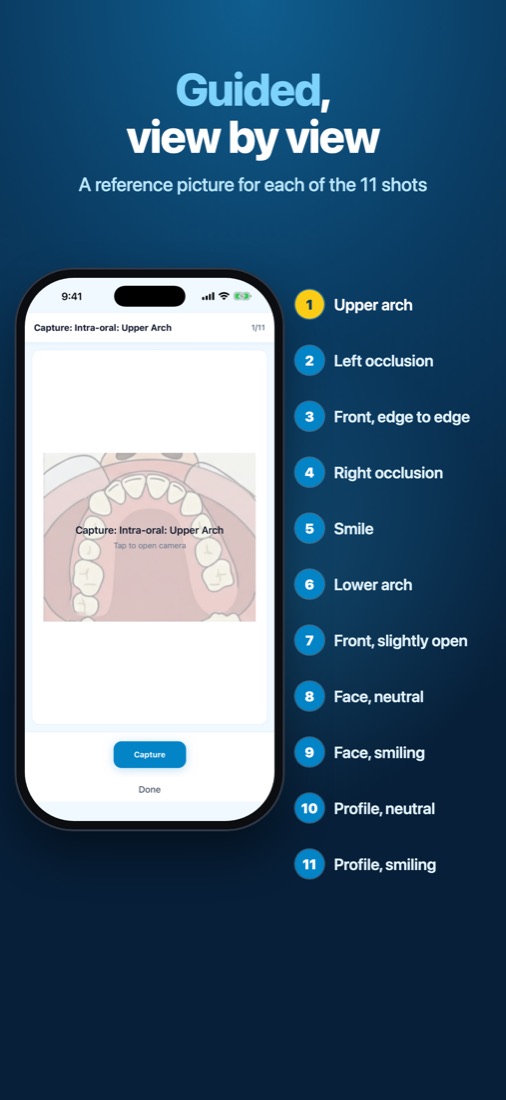
A photo series is only useful if it's taken the same way every time, whoever holds the phone. The app goes through the views in a fixed order, which a practice can rearrange to match its protocol, and shows a reference picture of each view before the camera opens.
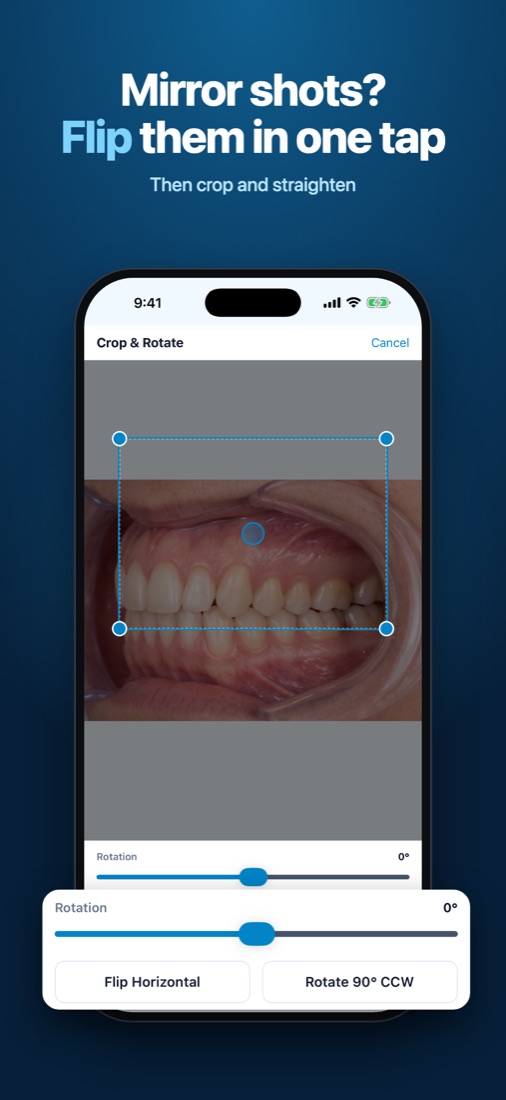
Each photo can be cropped, rotated and flipped straight after it's taken. Flipping matters more than it sounds: the two arch photos are taken in a mirror, so they come out reversed.
- 1
Reference
A picture of the view to take, shown before the camera opens.
- 2
Photo
Taken with the iPhone's camera, or imported from the library.
- 3
Fix
Crop, rotate, or flip a mirror photo.
- 4
Next view
The series is saved on the device as it goes, so it can be finished later.
One exact page
The page is a landscape sheet of 960 × 540 points, or 33.86 × 19.05 cm. Every view has a fixed slot measured in centimetres: the six intra-oral views and the smile on the left at 7 × 5 cm, the four face views on the right at 5.49 × 7.73 cm, and the date and the patient's details along the top. A second layout drops the face views and shows the other seven larger. The age is worked out from the date of birth, in years and months.
The PDF is built on the phone with pdf-lib. The JPEG export draws the same layout as a view and captures it as an image.
One bug taught us how pdf-lib draws images: it doesn't clip them. A photo cropped to a different shape than its slot was scaled to fill the slot and spilled over the neighbouring photos and the patient's name. Since version 1.3.3, each photo is trimmed, centred, to the shape of its slot before it goes into the PDF.
Nothing leaves the phone
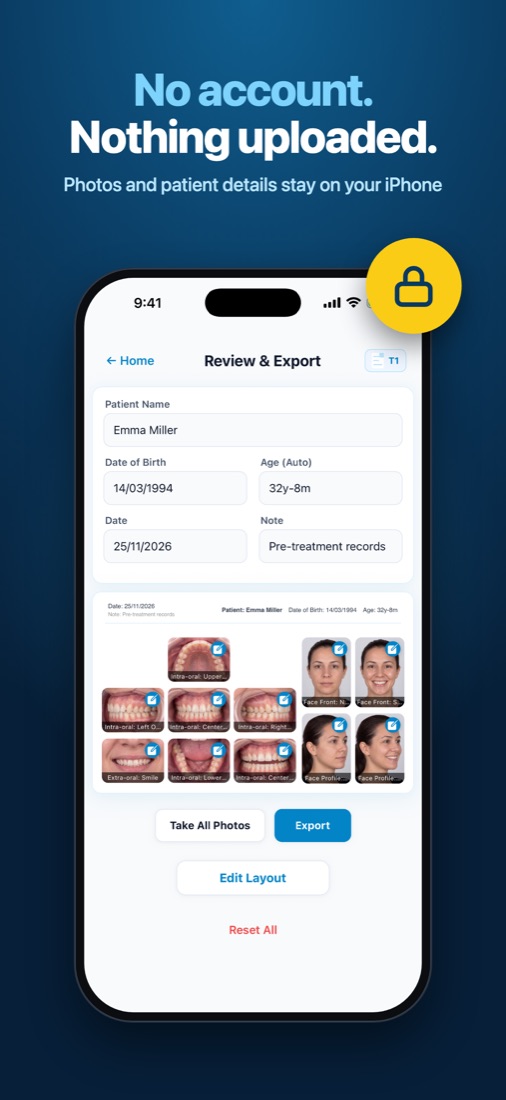
Patient photos are health data, and many clinicians won't put them in a cloud app. OrthoPhoto has no account and no server of ours. The photos and the patient's details stay in the app's storage on the device until the clinician exports the page.
The only outside services are for the subscription. Purchases go through Apple, and RevenueCat checks whether Premium is active, using an anonymous identifier. Neither receives photos or patient details.
Let's Discuss Your Project
Ready to explore what AI can do for your organisation? Book a free 30-minute call, no commitment, just a conversation.